
Player Identifiers
An identifier is a string signature filled in by the player and stored in the replay. In Minesweeper Arbiter, it is called "player identity". In MetaSweeper settings, it is called "identifier".
Before uploading replays manually you need either a real name on your profile or verification by a verified player. Without either, the upload entry is disabled. A verified player can verify you by entering your site ID: there is no request or approval, and you cannot remove the relation yourself. Access updates as soon as either condition changes.
Setting identifiers in different software
MetaSweeper
Open Settings - Game Settings from the menu bar, or press S to open the settings window.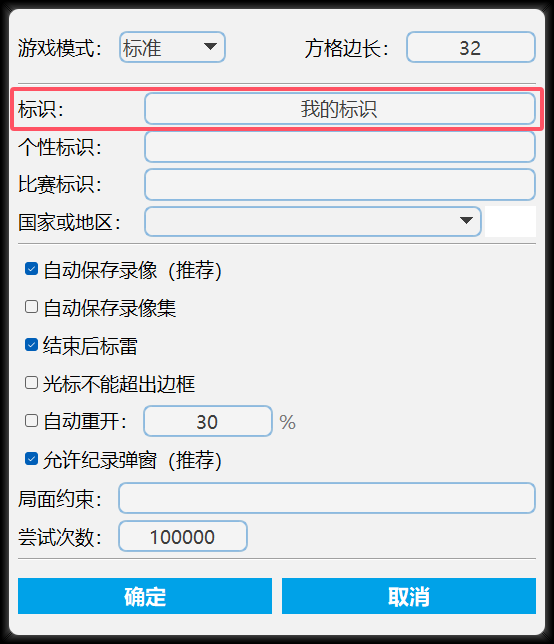 After setup, it looks like this:
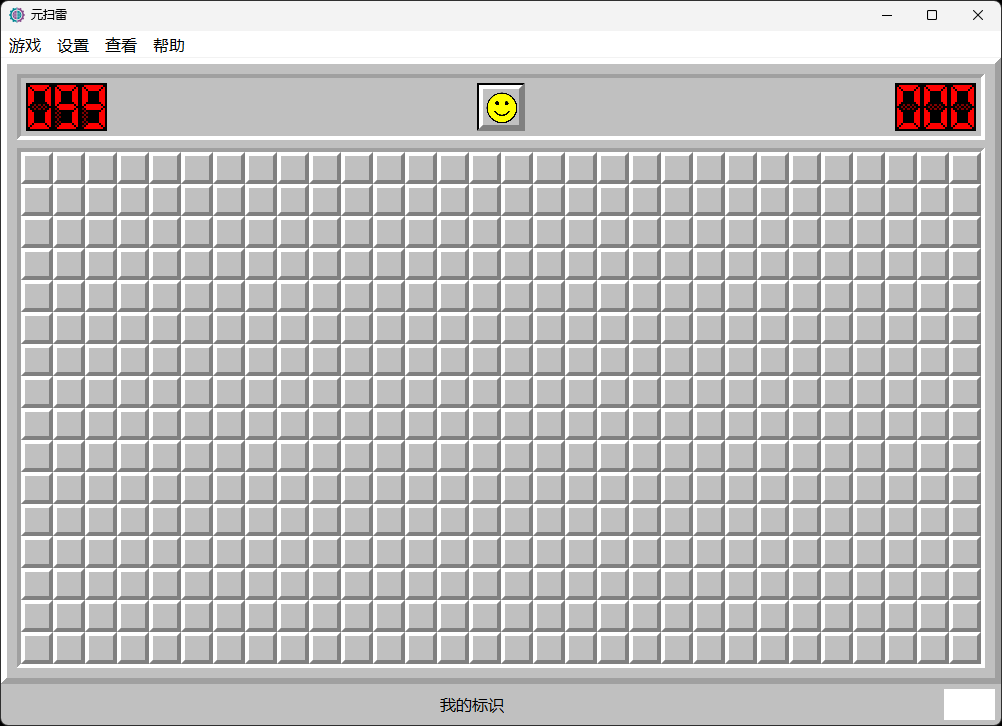
Minesweeper Arbiter
Open Options - Preferences from the menu bar, or press F5 to open the settings window.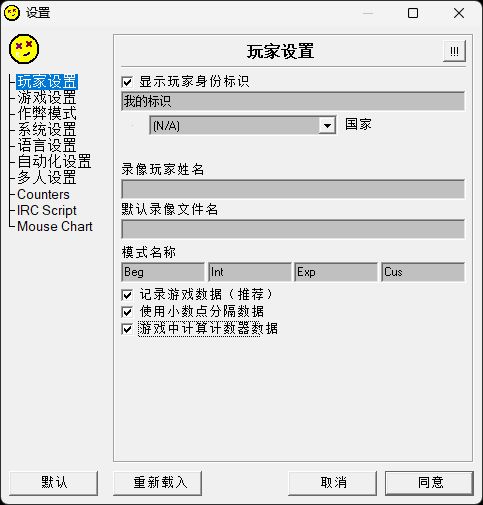 After setup, it looks like this:
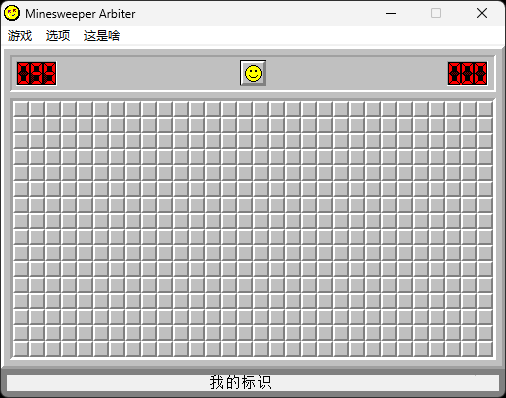
Managing identifiers on Open Minesweeper
The identifier management area is at the bottom of the Overview tab on your profile page. You can add or delete your identifiers there. After you add or delete an identifier, all replays with the corresponding identifier are refreshed, mainly including leaderboard eligibility checks.
Tournament identifiers
Tournament identifiers prove that a replay was created after a tournament started. When a tournament starts, the system generates a random identifier. During the tournament, only replays containing that tournament identifier are automatically recognized as tournament replays. The identifier must be set before you play and is revealed only when your participation window starts, even if you register early.
Replays must be uploaded within your participation window. Late uploads do not count, even if the tournament itself has not ended.
To enter the same replay in multiple tournaments, put all tournament tokens in the game's tournament identifier field, separated by commas (,) without spaces, for example TOKEN1,TOKEN2. Each tournament still applies its own participation window and scoring rules.
Setting a tournament identifier
MetaSweeper
Open Settings - Game Settings from the menu bar, or press S to open the settings window.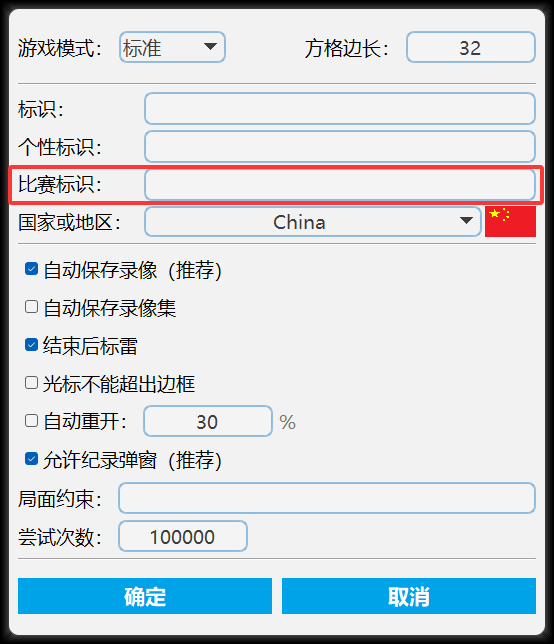
Minesweeper Arbiter
Minesweeper Arbiter itself does not support tournament identifiers. Please follow the identifier rules set by the tournament organizer.FAQ
Why did my record not update after I uploaded a replay?
You can view all your replays in the Videos tab on your profile page. If a replay's status is "identifier mismatch", it is not included in record statistics. You need to register the corresponding identifier, and then the replay will enter record statistics.
I already registered the identifier. Why does the replay still say "identifier mismatch"?
Open Minesweeper uses exact string matching for identifiers. Some strings may look identical but are actually different, causing a mismatch. The most common causes are:
- Spaces and other invisible characters
- Chinese and English punctuation differences
The identifier management page has a copy button for registered identifiers. You can copy the registered identifier and compare it in another program.
Why did adding an identifier fail?
- You do not have any replay with that identifier. When you use a new identifier, you must first upload at least one replay containing it, and then add the identifier.
- The identifier is already used by another user.